
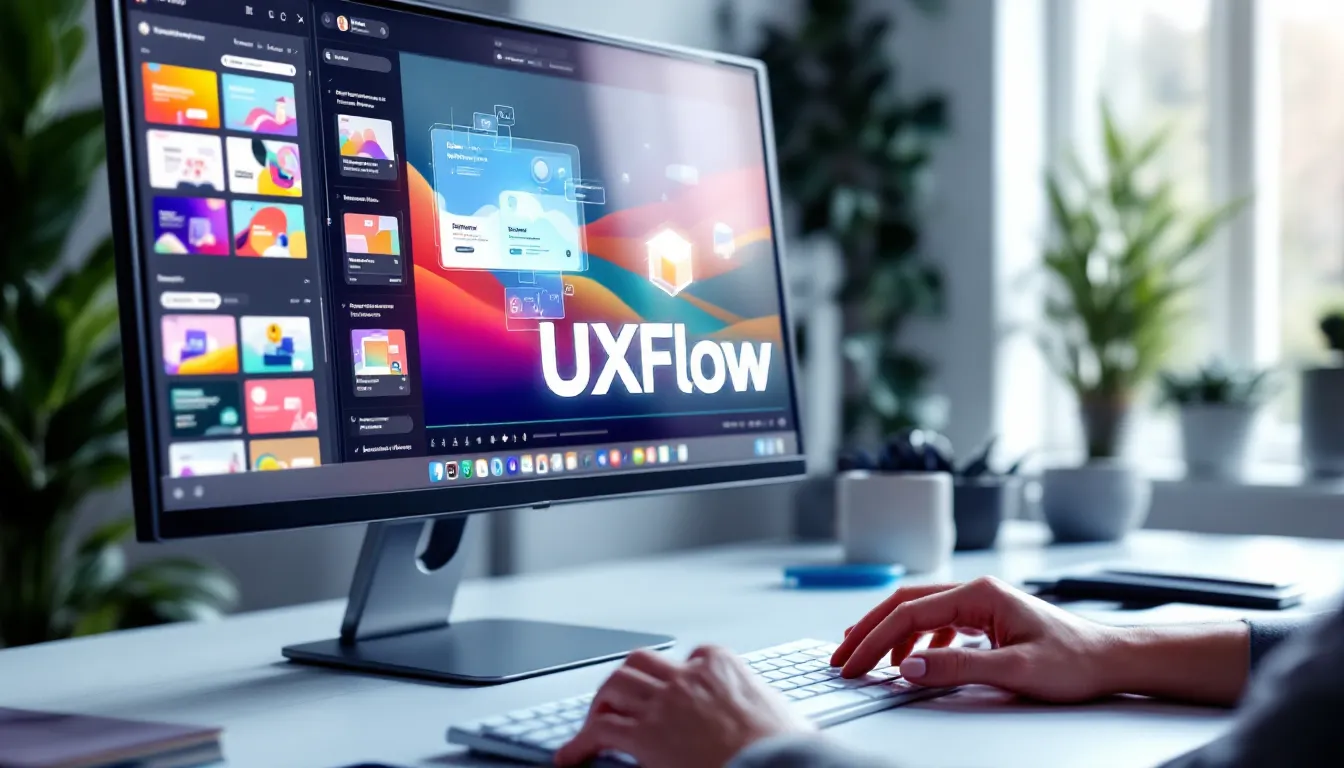
UXFlow
Honest UXFlow lifetime deal review. Solo tier sold out fast—here’s why. Compare pricing vs Canva, see real features, and decide if this AI design agent fits your workflow.
$99
Here’s the truth: UXFlow has just sold out its cheapest tier in under a week, and the remaining Business licenses are moving quickly—29 left as of December 17th. But before you panic-buy, let’s break down whether this AI design tool actually delivers on its promise of turning non-designers into visual creators, or if it’s just another overhyped template library with a chatbot slapped on.
UXFlow is an AI-powered design platform created by Kartik Sharma. The pitch? You get professional-grade marketing graphics, UI designs, and branding assets without hiring a designer or spending months learning Figma. The execution? It’s more nuanced than that.
What UXFlow Actually Does
UXFlow is an AI design assistant that generates marketing visuals, UI mockups, and brand assets from text prompts, then lets you refine them with 100+ templates and a collaborative canvas. Think of it as Canva’s simplicity meets Figma’s power, with an AI copilot that suggests layouts instead of you staring at a blank artboard, wondering where to start. The platform targets solo founders, small marketing teams, and agencies who need client assets fast but don’t have $5,000/month for a designer.
The workflow is straightforward: describe what you need (“Instagram carousel for a SaaS product launch”), pick a template category, let the AI generate options, then tweak with the smart canvas that maintains visual consistency across your project. The 4K Enhancement tech upscales AI-generated images to print quality—a feature most competitors charge extra for or don’t offer.
Where it differs from generic AI image generators: it’s built for design workflows, not one-off images. You’re creating reusable brand systems, not random graphics.
Key Features Worth Knowing
|
Feature |
What You Get |
Why It Matters |
|---|---|---|
|
100+ Templates |
Pre-built starting points for ads, social posts, UI screens, pitch decks |
Cuts design time from 2 hours to 15 minutes for standard assets |
|
Smart Canvas |
AI suggests layout improvements and enforces brand consistency automatically |
Prevents amateur mistakes (misaligned text, clashing colors) without design knowledge |
|
Real-Time Collaboration |
Multiple team members edit simultaneously with change tracking |
Your VA in the Philippines and you in Lviv can work together without version control chaos |
|
4K Enhancement |
AI upscales images to 3840×2160 photorealistic quality |
Makes AI-generated visuals usable for print materials and billboards, not just web |
|
AI Design Assistant |
Contextual suggestions based on your industry and use case |
Guides non-designers toward professional results instead of template hell |
The smart canvas is the real differentiator. Most tools give you templates and hope you don’t ruin them. UXFlow actively prevents bad design decisions—like when you try to add that fifth font or make everything bold. It’s like having a junior designer whispering “maybe don’t” in your ear.
Who Benefits Most
Solo Founders Building MVPs
You’re coding 12 hours a day and need a landing page, product screenshots, and social ads. You don’t have $2,000 for a designer or time to learn Figma. UXFlow gives you “good enough to ship” quality in under an hour. The AI handles first drafts; you just approve and tweak. Time saved: 8-10 hours/week.
Marketing Teams at Bootstrapped Startups
You’re running campaigns across Instagram, LinkedIn, and Facebook, and need fresh creatives every week. Your budget is $500/month total, not per platform. Real-time collaboration means your copywriter, social manager, and founder can iterate together without endless Slack threads. Cost saved: ~$1,500/month vs freelance designers.
Freelance Designers Handling Client Overflow
You’ve got three client projects due Friday, and two are simple social media packages. UXFlow handles the templated work (Instagram grids, Facebook ad sets) while you focus on the custom brand identity project. Implementation complexity: Medium (requires setting up client-specific templates initially, then easy reuse).
Agencies Doing White-Label Design
You sell “brand packages” to local businesses—logo, business cards, social templates. Most clients want proven templates, not groundbreaking creativity. UXFlow becomes your production line; your creative director just reviews before delivery. ROI: High if you’re doing 10+ similar projects/month.
Who should skip this: Experienced designers who live in Figma. If you’re already proficient with design tools, UXFlow won’t speed you up—it’ll slow you down. It’s training wheels, not a racing bike.
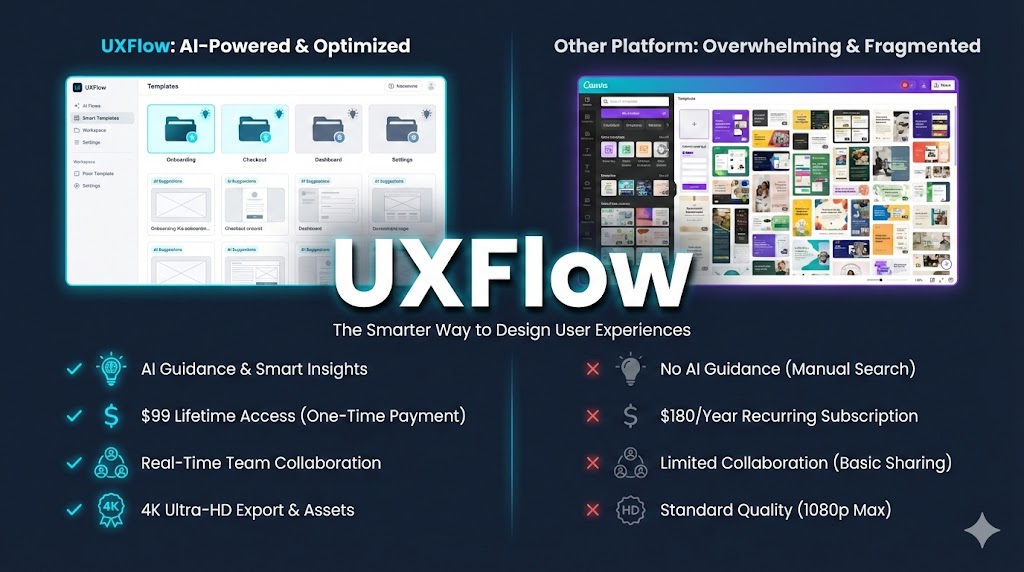
What Makes This Different from Canva
Here’s the comparison everyone asks about:
| Factor | UXFlow | Canva |
|---|---|---|
| Learning Curve | 30 minutes (AI guides you) | 2-3 hours (too many options) |
| AI Integration | Built-in, contextual to your project | Add-on, generic suggestions |
| 4K Output | Included | Pro plan only ($180/year) |
| Real-Time Collab | Unlimited team members | Limited on Free, paid on Pro |
| Template Quality | 100+ (curated for conversion) | 600,000+ (overwhelming, variable quality) |
| Lifetime Price | $99-$199 one-time | $180/year forever |
| Best For | Non-designers who need guidance | DIY designers who know what they want |
Where Canva wins: Massive template library, better mobile app, more third-party integrations (Mailchimp, HubSpot). If you’re already a Canva power user, you don’t need UXFlow.
Where UXFlow wins: The AI isn’t an afterthought—it’s the product. Canva’s AI suggests “try a different color.” UXFlow’s AI rebuilds your entire layout based on conversion best practices. The smart canvas prevents you from creating ugly designs, which Canva absolutely lets you do.
Honest take: If you’re a solo founder who’s made 47 terrible Instagram posts in Canva because you kept adding random elements, UXFlow’s constraints will save you from yourself. If you’re a marketer who cranks out 20 designs/week in Canva and knows your way around, stick with what works.
The Deal Economics
Let’s cut through the marketing and do actual math:
Solo Tier (SOLD OUT)
- One-time cost: $99
- What you saved: $1,305 over 3 years vs a monthly subscription
- Monthly equivalent: $36/month if you were paying subscription
- Break-even: Less than 3 months
Business Tier (29 licenses left as of Dec 17)
- Current price: Not disclosed publicly, but estimated $199-$299 based on standard LTD tier structures
- Active discount: 20% off currently
- Team seats: Likely 3-5 users (typical for “Business” tier)
- Break-even vs hiring: One designer for one project ($500-$1,500) pays for this instantly
Comparison to competitors over 36 months:
| Tool | Year 1 | Year 2 | Year 3 | Total 3-Year Cost |
|---|---|---|---|---|
| UXFlow LTD | $99 | $0 | $0 | $99 |
| Canva Pro | $180 | $180 | $180 | $540 |
| Figma (Free + occasional Pro) | $0 | $180 | $360 | $540 |
| Adobe Express | $120 | $120 | $120 | $360 |
| Hiring designers (1x/month) | $6,000 | $6,000 | $6,000 | $18,000 |
What they don’t advertise: You’re betting on Kartik Sharma’s team continuing development. If updates stop after year one, you’ve still got a functional tool, but no new templates or AI improvements. That’s the lifetime deal gamble—low risk ($99-$299 max loss), high reward if the product scales.
What Users Actually Say
Here’s where it gets tricky: UXFlow is too new for G2 or Capterra reviews. It launched in late 2024, and the lifetime deal went live in early December 2025. What we do have:
From Facebook LTD Communities:
- Positive: “Most practical AI design agent for founders” (Grab or Miss group)
- Positive: Fast turnaround from idea to finished asset
- Concern: Limited solo licenses created FOMO rush
- Concern: No public roadmap for what’s coming next
From the LoudEgg webinar preview:
- Platform is “highly rated and trusted by designers”
- Founder Kartik Sharma is actively engaged in community
- Live demo shows actual workflow, not just marketing slides
What’s missing: Independent reviews from people who’ve used it for 3+ months. The product is in the “early adopter” phase. That’s not a red flag—it’s just reality. If you need battle-tested software with 10,000 verified reviews, wait 12 months. If you’re comfortable being an early user who shapes the product, now’s your window.
My take after digging through Facebook groups and X threads: The people buying this are experienced lifetime deal buyers (not newbies). That’s a trust signal. Kartik’s reputation in the LTD space carries weight—he’s not a fly-by-night founder.
Honest Assessment
What works:
- The AI genuinely helps non-designers avoid ugly output
- 4K enhancement is legitimately useful for print projects
- Real-time collaboration works smoothly (based on demo videos)
- Price-to-value ratio is absurd if you use it weekly
- Kartik Sharma’s track record in the LTD community reduces founder risk
What doesn’t work (yet):
- Template library is small compared to Canva (100 vs 600,000+)
- No mobile app (web-only for now)
- Integration ecosystem is limited (no Zapier, Slack, or HubSpot connectors found)
- Documentation appears minimal (common for new products)
- Export formats unclear (need to verify SVG, PDF, PNG options)
Who should skip this:
- You’re already proficient in Figma or Adobe Creative Suite
- You need mobile design capabilities today
- You require enterprise-grade support SLAs
- You’re not comfortable with early-stage products
- You design fewer than 5 assets per month (won’t hit ROI)
Who should grab this before it’s gone:
- Solo founders building products without design budgets
- Marketing teams at startups are spending $200+/month on freelance graphics
- Agencies doing white-label design packages
- Anyone currently paying for Canva Pro who finds it overwhelming
- Freelancers who need faster client turnaround
The LTDPlace community discussions around similar tools show a pattern: AI design tools either become your daily driver or collect digital dust. The differentiator is whether you actually need design assets weekly. If you’re creating graphics once a month, save your $99.
Your Move
UXFlow’s Solo tier is gone. The Business tier has 29 licenses left. The 20% discount won’t last. Those are facts.
Here’s what’s not a fact: whether this tool fits your specific workflow.
Before you buy, do this:
- Watch the full LoudEgg webinar replay (15 minutes) to see actual product usage
- Check if your design frequency justifies the investment (1-2 assets/week = yes, 1-2/month = no)
- Verify export formats and commercial licensing through Kartik’s Facebook page
- Compare against your current design solution (Canva, Figma, freelancers)
If you’re reading this on LTDPlace, you already know the lifetime deal game: buy when the value is obvious, refund if it doesn’t deliver. UXFlow offers that window.
Grab the remaining licenses here: UXFlow Lifetime Deal
The typical AppSumo 60-day refund policy likely applies (verify before purchase). That’s your safety net. Use it to actually test the product with real projects, not just toy around for 30 minutes.
FAQ
Is UXFlow actually worth $99 for solo founders?
Yes, if you create 4+ design assets per month and currently spend 2+ hours per asset. The time savings alone justify the cost within 60 days. At $99, you’re paying what you’d spend on three Fiverr gigs—but getting unlimited usage forever. The ROI is clear for founders who ship consistently. Skip it if you design sporadically or already have a design process that works.
How does UXFlow compare to using ChatGPT plus Canva?
UXFlow is integrated; ChatGPT + Canva requires duct tape. You can absolutely use ChatGPT for image prompts and then edit in Canva—I’ve done it. But you’re juggling two tools, copying prompts, reformatting outputs, and hoping the style stays consistent. UXFlow’s smart canvas maintains your brand system automatically. It’s the difference between a Swiss Army knife and carrying separate tools. Convenience has value.
What happens if Kartik stops updating UXFlow after 6 months?
You still own a functional design tool, but no new features. This is the lifetime deal risk everyone faces. Here’s the mitigation: Kartik Sharma has a public reputation in the LTD community to protect. Burning customers would kill his ability to launch future products. That’s a stronger incentive than most anonymous founders. Worst case? You got $1,305 worth of value for $99, and it stops improving. Still a win.
Can I use UXFlow designs for client work commercially?
This isn’t publicly documented yet—verify before buying. Most design platforms allow commercial use, but some restrict the resale of templates. Email Kartik directly through the official site or ask in his Facebook community before purchasing if client work is your primary use case. Get written confirmation. Don’t assume.
Is the 4K Enhancement technology real or marketing hype?
It’s real, but not magic. AI upscaling (like Topaz Gigapixel or Let’s Enhance) uses neural networks to interpolate detail when enlarging images. UXFlow’s 4K enhancement does this automatically on AI-generated visuals. It won’t turn a blurry screenshot into a billboard-worthy image, but it will make AI art usable for print materials. Test it with the types of images you actually need—product mockups, social ads, presentation graphics—not edge cases.
Why did the Solo tier sell out so fast?
Limited licenses create urgency, but also validate demand. Kartik capped Solo licenses to manage server load and support volume during launch. It’s smart product strategy—better to have 500 happy users than 5,000 frustrated ones because the platform crashes. The fast sellout also confirms real buyer interest, not just hype. Facebook groups showed organic discussion, not just affiliate pushing.
What’s included in the Business tier that Solo doesn’t have?
Specific feature differences aren’t published yet. Based on standard LTD tier structures, expect: more team seats (3-5 users vs 1), higher export limits, priority support, and possibly advanced AI features. The Solo tier was clearly designed for individual creators; Business targets small agencies and startup teams. Check the deal page for the current tier comparison or wait for the December 9th webinar for clarification.
How does UXFlow handle brand consistency across projects?
The smart canvas enforces your brand guidelines automatically. You set your colors, fonts, and logo once. Then every new design pulls from that system. If you try to add a random font, it suggests alternatives from your brand palette. It’s like design guardrails—you can override them, but you have to intentionally choose to break consistency. This prevents the common mistake of creating 47 social posts in 47 different styles.
Can I export designs to Figma or Adobe for further editing?
Export formats aren’t fully documented—this is a critical question to ask. Most modern design tools support PNG, JPG, PDF, and SVG exports. The question is whether UXFlow allows editable exports (like SVG or Figma JSON). If you’re a designer who wants UXFlow for initial drafts but final polish in Figma, verify export compatibility before buying. Ask in the webinar or email support.
Is there a free trial or demo account?
No free trial found as of December 2025. This is unusual compared to competitors (Canva, Figma, and Webflow all offer free tiers). The lifetime deal model assumes the 60-day AppSumo refund policy is your trial period. That’s fair, but it means you’re committing money upfront. Reduce risk by watching the LoudEgg demo first to see if the interface matches your workflow.
What’s Kartik Sharma’s background, and why should I trust this?
Kartik is a UI/UX designer with 2+ years building products and a strong reputation in lifetime deal communities. His portfolio shows work on crypto wallets, VPN redesigns, and SaaS products. He’s active on Facebook, responds to community questions, and hosts live webinars. The trust factor isn’t just his resume—it’s that experienced LTD buyers in groups like “Grab or Miss” are endorsing him publicly. That social proof matters more than generic testimonials.
UXFlow
UXFlow LTD review: AI design tool for founders. $99 vs $1,305. Worth it?
$99
Money-back guarantee. Try it out to make sure it’s right for you!
Single
$99
One time payment
Money-back guarantee. Try it out to be sure it’s the right fit for you! Or browse all available Lifetime deals.