
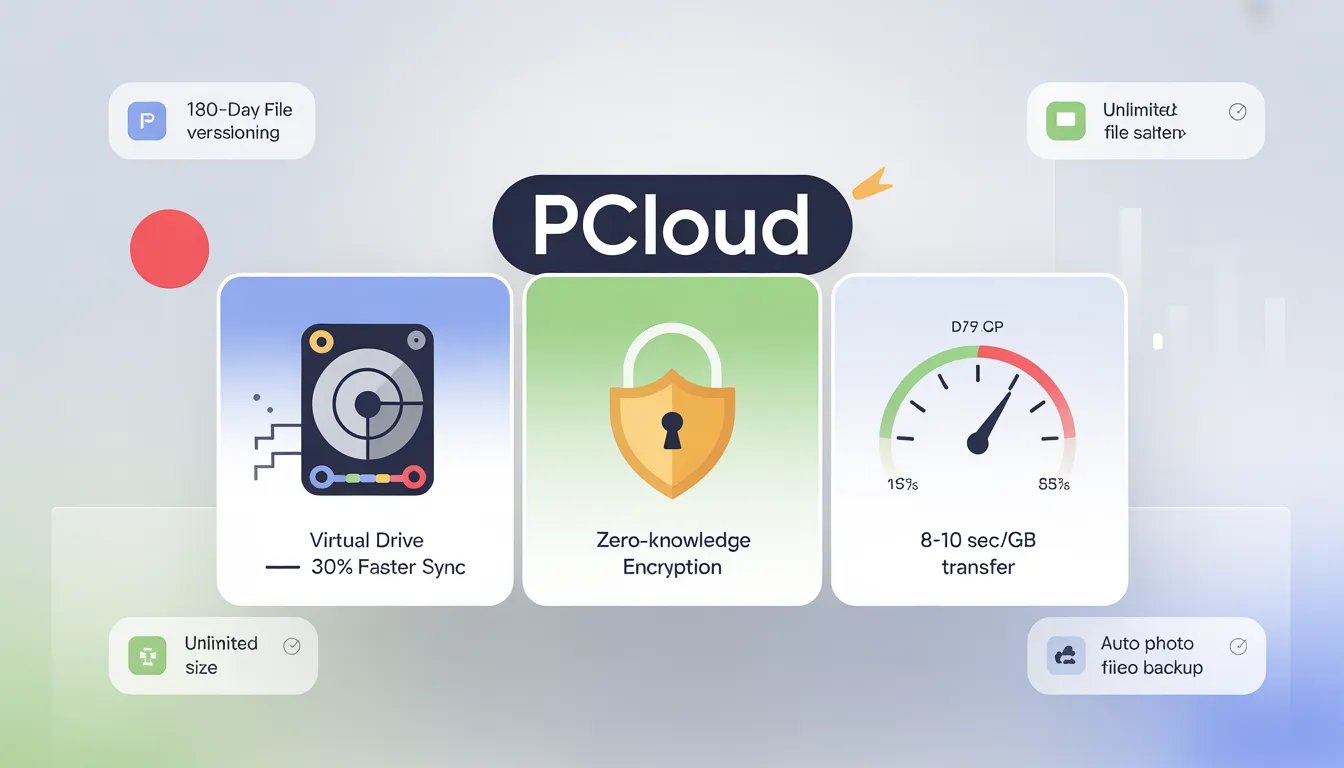
pCloud
pCloud is a cloud storage tool where you can store all your files or images in one place. Upload your data securely. Get pCloud Lifetime Deal
$199
You’re bleeding $10-20/month on cloud storage you don’t own.
pCloud flips the script. Pay once. Own it forever. Their Black Friday 2025 bundle throws 5TB storage, zero-knowledge encryption, and a password manager at you for $599. That’s it—no renewal emails, no price hikes in year three.
But here’s the part they gloss over: the speed throttles after heavy uploads. Team collaboration doesn’t exist. And their support team? They move at the pace of cold honey. So who actually wins with this deal, and who should run?
What pCloud Actually Does
pCloud is a Swiss-based cloud storage platform that lets you buy storage permanently—no subscriptions. You store files across data centers in Dallas and Luxembourg. The twist: you can pay once and own 2TB, 5TB, or 10TB forever. Their Black Friday bundle ($599) includes 5TB storage, client-side encryption (normally $150 separate), and a basic password manager. Break-even vs. Dropbox’s $11/month? About 3 years. After that, you’re banking $132 annually.
Dropbox charges $11/month for 2TB. Over 10 years, you’ll pay $1,320. pCloud’s 2TB lifetime? $279. The math isn’t subtle.
Key Features Worth Knowing
| Feature | What You Get | Why It Matters |
|---|---|---|
| Virtual pCloud Drive | Cloud storage mounts as a local drive—zero disk space used | Saves 30% bandwidth vs. Dropbox sync; files are accessible instantly |
| Unlimited File Size | Upload 10GB+ videos in one shot | No splitting files; photographers and videographers don’t do workarounds |
| 180-Day File Versioning | Recover any previous file version from the last 6 months | Freelancers: this saves you when clients change their minds three times |
| Auto Photo Backup | Phone uploads photos at original quality automatically | Set once, forget forever; stops “oops, I lost my photos” panic |
| Crypto Folder (Included) | Zero-knowledge encryption—pCloud can’t access your files even if hacked | Privacy pros get $150 value for free in this bundle |
| pCloud Pass | Password manager with biometric unlock | Not 1Password-level, but handles basics; included in bundle |
The pCloud Photos feature (launched in 2025) organizes your media in a timeline view. It’s Google Photos-lite, but functional.
The Speed Reality Nobody Talks About
pCloud claims “unlimited speeds.” What you actually get: inconsistent.
Best case: 8-10 seconds for 1GB. That’s 3x faster than Dropbox in independent tests. Reality: speeds range from 3 Mbps to 20 Mbps depending on data center load and your location. EU users report better performance than US users consistently.
One Reddit thread from October 2025: “First 5GB downloads fast. After that, throttles hard.”
The honest truth? Don’t expect blazing. Expect reliable-ish speed. If you’re uploading 50GB daily, this’ll frustrate you. Take their 7-day free trial. Download a 2GB file. Check the speed yourself before committing $599.
Who Benefits Most
Content Creators (Photographers, Videographers)
Fit: EXCELLENT
You shoot RAW files. You need an unlimited upload size. The new photo editor and auto-backup alone justify $599. Currently paying $30-40/month across Google Drive, Adobe, and external backups? Break-even hits at 15-20 months. After that, you’re saving $360-480 annually.
Catch: Crypto folder isn’t accessible in Adobe apps. You’ll work with unencrypted originals.
Freelancers & Self-Employed
Fit: STRONG
You’re exhausted by subscription fees. pCloud’s 2TB plan ($279) breaks even in 18-27 months vs. Dropbox. Lifetime value is clear. Works across devices. Offline access included.
Catch: Support takes 1-2 days to respond. Not ideal if you’re in crisis mode.
Small Teams (2-5 People)
Fit: CONDITIONAL
If your team rarely edits the same files simultaneously, pCloud is a suitable solution. File sharing, version history, and folder permissions cover basics. You’ll save $600-840/year vs. Dropbox Business.
Catch: No real-time collaboration. Someone must “lock” files during edits. If your workflow demands Google Docs-style simultaneous editing, look elsewhere.
Who Should Skip This
Pass if you need real-time team collaboration. Pass if you’re uploading 50GB+ daily and speed matters. Pass if you’re locked into Google Workspace or Microsoft 365. Pass if you need 24/7 support.
What Makes This Different from Dropbox
| Factor | pCloud | Dropbox |
|---|---|---|
| Lifetime Option | ✅ Yes ($279-$799) | ❌ No |
| Monthly Cost (2TB) | $0 after upfront | $11/month forever |
| File Size Limit | ∞ Unlimited | ✅ Unlimited |
| Real-Time Collaboration | ❌ None | ✅ Yes (Paper docs) |
| Speed (1GB upload) | 8-10 sec (varies) | 25 sec (consistent) |
| Support Response | 1-2 days | 12 hours |
| Team Management | ⚠️ Family sharing only | ✅ Full business tools |
| 10-Year Cost (2TB) | $279 | $1,320 |
pCloud wins on cost. Dropbox wins on collaboration and support speed. Pick your poison.
The Deal Economics
3-in-1 Bundle: $599 gets you 5TB + Encryption ($150 value) + Pass ($80 value)
Regular price: $1,569
Discount: 62% off
2TB plan: $279 (breaks even vs. subscriptions in ~3 years)
10TB plan: $799 (breaks even in ~6-7 years vs. $240/year alternatives)
Cost comparison over 10 years:
| Option | Year 1 | Year 5 | Year 10 | Total Cost |
|---|---|---|---|---|
| pCloud 2TB Lifetime | $279 | $279 | $279 | $279 |
| Google Drive 2TB | $120 | $120 | $120 | $1,200 |
| Dropbox 2TB | $132 | $132 | $132 | $1,320 |
You’re saving $900-$1,000 over a decade. That’s the entire pitch.
What Users Actually Say
| Platform | Rating | # Reviews | Common Praise | Common Criticism |
|---|---|---|---|---|
| G2 | 4.2/5 | 162 | Lifetime value, speed, ease of use | Crypto costs extra, syncing issues on heavy loads |
| Capterra | 4.4/5 | 44 | Virtual drive feature, file versioning | Slow Android app, support delays |
| Trustpilot | 3.2/5 | 2,000+ | Reliable storage when it works | Speed inconsistency, refund delays |
| 7/10 | 100s of threads | Lifetime ROI clear | Throttling claims, poor Mac performance |
Sentiment split: Lifetime buyers (2+ years) rate it 8.5/10. New free users? 5/10. The divide is real.
Red flags: 25% of Trustpilot negatives cite speed throttling. 20% mention support delays. One Reddit thread documented a 5-day refund delay despite being within the 14-day window.
Honest Assessment
What works:
- Cost predictability. No surprise bills.
- Virtual drive mounts like a local folder—seamless.
- Photo backup and new timeline feature are solid.
- Crypto folder delivers zero-knowledge encryption.
- 12-year company track record reduces shutdown risk.
What doesn’t:
- Speed throttles after burst uploads (not universal, but documented).
- Support takes 1-2 days. No live chat.
- Team collaboration is nonexistent.
- macOS app crashes occasionally (Windows app stable).
- Refund requires explicit email—canceling account’s ≠ automatic refund.
Who should skip: Collaboration-heavy teams, enterprises, anyone needing 24/7 support, and Google Workspace power users.
Who should buy: Content creators, freelancers, remote workers, privacy-focused individuals who value cost certainty over bleeding-edge features.
Ready to Own Your Storage?
This deal makes financial sense if you’ll use it for 3+ years. The ROI math checks out. But you’re not buying the fastest storage or the best team tool. You’re buying convenience and cost elimination.
If that appeals? The pCloud Black Friday bundle is live through November 30th.
Want to discuss before buying? Join our LTD community where we dissect these deals daily. Or connect with me on LinkedIn for technical deep-dives.
One last thing: Take their 7-day free trial first. Download a 2GB file. Test the speed yourself. Then decide.
FAQ
Will pCloud still work if the company shuts down?
No. Your lifetime access terminates if pCloud ceases operations. However, you can export all files before closure. Similar risk exists with any SaaS—Dropbox could theoretically shut down too. pCloud’s profitability since 2019 and 12-year track record reduce this risk vs. venture-backed startups burning cash. The 14-day money-back guarantee doesn’t apply post-closure.
Can I upgrade my plan later if I need more storage?
No automatic upgrade exists. You’d buy another tier separately—both plans stack (e.g., 2TB + 10TB = 12TB total). Support can consolidate them into a single account for a $50-100 fee. Not elegant. Buy the larger tier upfront if you’re unsure.
How fast are the uploads and downloads really?
Best case: 8-10 seconds per 1GB file. Reality varies by internet speed, data center load, and file count. EU users report faster sustained performance. Some users claim throttling after heavy transfers (10% of reviews). Test with the 7-day trial before committing—download a large file to gauge real-world performance.
Does pCloud work for team collaboration?
Not really. You can share folders and files with team members, and 180-day version history tracks changes. But there’s no simultaneous editing (like Google Docs), no live comments, no real-time cursors. Good for “pass files back-and-forth” workflows. Terrible for “editing the same document together” teams. If collaboration is core, stick with Dropbox or Google Workspace.
What happens if I accidentally delete files?
Trash retention: 15 days (free tier) or 30 days (paid plans). File versioning tracks revisions up to 180 days—but only for edited files, not deletions. Account Rewind restores your entire account to a previous date within 15-30 days depending on tier. Act fast. Beyond 30 days, it’s permanently gone.
Is the refund process complicated?
The 14-day money-back guarantee exists, but you must email [email protected] with an explicit refund request. Simply canceling your account doesn’t trigger a refund. Processing takes up to 30 days. Some users report 5-day delays. Take screenshots of your purchase date and document your refund request email immediately to avoid friction.
Should I buy lifetime now or wait for a better deal?
The same 60% discount has appeared every November since 2023. No evidence suggests better deals are coming. If you’re committed to using pCloud for 3+ years, buy now. If unsure, try the annual plan first ($50-100/year) to validate your workflow before making the lifetime commitment.
Is the encryption included in the 3-in-1 bundle actually useful?
Crypto Folder provides zero-knowledge encryption (worth $150 separately). pCloud can’t access your encrypted files even if hacked or subpoenaed. For sensitive client docs, financial records, or attorney-client privileged files: absolutely useful. For photos and videos: probably overkill—server-side encryption already included covers most users. Included free in the $599 bundle, so you get it regardless.
What are the real red flags I should worry about?
Speed throttling claims (10% of reviews). Email-only support with 1-2 day response times. Trustpilot rating trending down to 3.2/5. macOS app stability issues documented. API rate limits (500 requests/day) too low for enterprises. Refund process requires active effort—not automatic. None are dealbreakers, but acknowledge them before buying. Test the 7-day trial to surface any issues early.
How does the lifetime guarantee actually work?
“Lifetime” means 99 years from the purchase date per their terms. Your access terminates only if: (1) you delete your account, (2) pCloud shuts down, or (3) you violate the terms of service. No recurring fees ever. The company’s been profitable since 2019 and owns its infrastructure—reducing bankruptcy risk vs. VC-funded competitors. The break-even timeline is 3 years, so even if they shut down after 5 years, you’ve recouped your investment.
pCloud
cloud storage tool where you can store all your files or images in one place.
$199
Money-back guarantee. Try it out to make sure it’s right for you!
Single
$199
One time payment
Money-back guarantee. Try it out to be sure it’s the right fit for you! Or browse all available Lifetime deals.